App AI Gateway
Give your apps access to AI providers without shipping provider keys, and see every request in one place.
App AI Gateway sits between your apps and the AI providers they use. Your app calls the gateway, and the gateway calls OpenAI, Anthropic, Gemini, xAI or whichever provider you added. Your provider keys stay on the gateway, every request is checked before it goes out, and provider attempts are recorded so you can see where the money went.
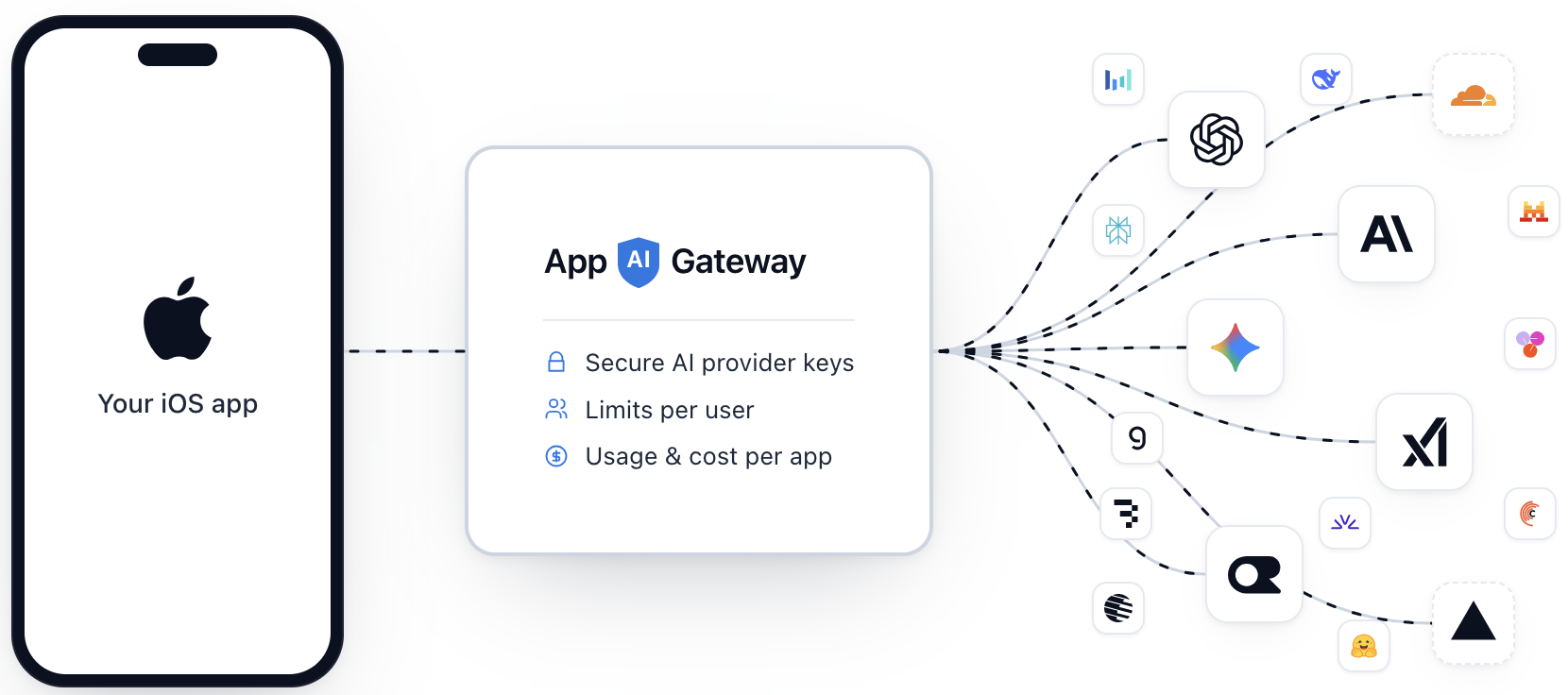
It is built for iOS apps first: the app talks to the gateway directly, and the gateway checks that the request comes from a real install of your app, from a signed-in user, and, where you require it, from a user who has paid. Server applications are supported too, with a private API key, so all your apps can be watched from one console.
What you get
- Provider keys stay off devices. Keys are encrypted the moment you add them and are never shown again. Your app never holds one.
- One gateway for all your apps. Add an app in the console instead of building a backend for each one.
- Requests are checked before they reach a provider. Apple App Attest, sign-in tokens from Firebase, Supabase, Auth0, Clerk or your own issuer, and a paid-entitlement check.
- Limits you set. Requests per minute and per day and a monthly budget, per user and per app.
- Provider-native requests. The gateway forwards the provider's own request and response formats, streaming included. Standard SDKs work by changing the base URL.
- Usage in one place. Spend, tokens, errors and latency by app, model, provider, user, endpoint and app version. Block a user who is running up your bill.
Get started
Sign up at console.appaigateway.com, bring
a provider key, and follow the Quickstart. Your apps call
https://api.appaigateway.com; there is nothing to deploy.
The guides describe the same apps, providers and APIs wherever your gateway runs. Examples use the hosted addresses by default.
Self-hosting
Use your own console and API addresses in these examples. If both share one address, use it for both. The self-hosting guides cover deployment, configuration and updates on your Cloudflare account.
Where to start
Quickstart
Add a provider key, create an app, and send a request in a few minutes.
Integrate your app
Call the gateway from iOS with the Swift package, or from a server with an API key.
Applications
Everything an app's policy can say: identity, providers, limits, endpoints.
Automation and agents
Let a script, CI job or AI agent manage your apps through the API.